Adobe Express is a powerful yet beginner-friendly design platform that mixes templates, Firefly AI tools, and cross-device syncing for fast, polished content creation. Make graphics, videos, posts, and more in minutes — all without needing pro-level design skills.
If you’ve ever opened Photoshop and felt your creativity vanish under a hundred buttons — meet Adobe Express, the simpler, faster sibling that wants you to enjoy designing again. Adobe has taken its decades of creative mastery and packed it into a platform where even a total beginner can design like a pro.
Whether you’re crafting Instagram posts, short promo videos, or eye-catching school projects, Express turns complex editing into one-tap magic. It’s like Photoshop and Canva had a baby — and that baby runs on Firefly AI, Adobe’s own creative engine that thinks, imagines, and styles alongside you.
The result? A place where creativity doesn’t feel like work. Adobe Express gives you power, polish, and pure fun — all in one colorful dashboard. Let's see how?
What is Adobe Express?
At its core, Adobe Express is a web and mobile design platform that combines the best of Adobe’s Creative Suite into a single, approachable tool. It’s not a watered-down Photoshop — it’s a reimagined design studio built for speed, simplicity, and results.
Through our hands-on testing, we found three standout strengths: template-based creation, AI-assisted editing, and cross-platform publishing. You can design posters, Instagram reels, YouTube thumbnails, flyers, resumes, or short promo videos — all in one place. Tasks like resizing for multiple platforms or removing backgrounds happen in seconds, showing Adobe’s focus on workflow, not just aesthetics.
Highlights during testing:
200,000+ customizable templates
Firefly AI for text-to-image, smart fills, and style transfer
Cross-device sync via Adobe Cloud
Built-in tools for video, photo, and text editing
Adobe Express bridges professional-grade quality with practical usability, and in daily use, it lives up to that promise.
Adobe’s Promise – “Creativity for All”
Adobe says Express gives “everyone creativity superpowers.” After testing it, we can confirm it’s not just marketing hype. Express extends Adobe’s professional philosophy to anyone, including beginners, with AI-powered tools, templates, and simple animation features.
A key difference: Firefly AI models use only licensed and publicly available data, meaning your creations are safe for commercial use — unlike many free AI tools. Adobe isn’t chasing trends; it’s setting a responsible standard for AI in design.
Our takeaway: Adobe Express proves that creativity can be open to everyone without compromising ethics or quality.
Who Should Use Adobe Express?
While Adobe Express looks like it’s made for casual creators, our testing showed it performs exceptionally well for a wide range of users — from students to business owners. Adobe clearly designed it as a versatile workspace that adapts to intent.
If you’re a student or teacher, Express simplifies visual assignments and presentations — with pre-sized templates for slides, posters, and certificates. For small businesses, the Brand Kit and AI caption generator make it easy to create marketing assets without hiring designers.
Social media creators will appreciate its direct publishing options — including scheduled posting to Instagram, Facebook, and X (Twitter). And for design beginners, the built-in tutorials, smart layout guides, and one-click edits eliminate the steep learning curve entirely.
In summary, it’s ideal for:
Students & Educators: Fast, polished visuals for projects and lessons
Small Businesses: Brand-consistent marketing content
Social Media Creators: Quick video and post creation, ready for upload
Beginners: Instant creativity with minimal learning effort
Adobe Express fits best where speed meets quality — when you want great-looking results without the traditional design complexity.
From Adobe Spark to Adobe Express
To understand Adobe Express fully, you need to know its origins. The journey began in 2016 as Adobe Spark, a lightweight storytelling tool for social media. Spark’s goal was to help users make simple graphics and short videos online. But as design trends evolved and user demands expanded, Adobe realized it needed something far more capable — and intelligent.
Enter Adobe Express — rebuilt from the ground up with a unified cloud system, advanced AI integration, and deep collaboration tools. The interface we use today bears almost no resemblance to Spark’s old layout. It’s smoother, more responsive, and deeply integrated with Adobe’s creative ecosystem.
We tested this by switching between devices mid-project — starting a design on the web, then editing it on Android — and the transition was seamless. Every font, color, and layout carried over perfectly. This is where Adobe Express truly shines: it’s not just a rebrand; it’s a re-engineered design experience for the modern, connected world.
Platform Availability
Adobe Express is available on Web, Windows, macOS, iOS, and Android, all connected through Adobe Cloud. We tested it across multiple devices, and the syncing process was instant and reliable. Whether you’re working on a desktop or phone, your design progress updates automatically.
Web Version
The browser edition is the most powerful, with full Firefly AI integration — from text-to-image generation to generative fill. It’s stable, even on mid-range laptops, and perfect for extended design sessions.
Mobile Apps
The Android and iOS apps are built for quick edits and content posting. You can remove backgrounds, crop, resize, or add captions within seconds. The interface feels fast, touch-friendly, and minimal — ideal for creators on the move.
Desktop Sync
For Windows and macOS users, the desktop sync works as expected. We found no file loss or layout distortion while switching devices. This cross-platform continuity is one of Adobe Express’s strongest functional advantages.
In short, no matter where you create, Adobe Express keeps your ideas flowing — and your work safe in the cloud.
Firefly AI – The Heart of Adobe Express
At the center of Adobe Express lies Firefly AI, the engine that makes design fast, precise, and intuitive. Rather than just adding flashy effects, Firefly handles the behind-the-scenes work, so users can focus on ideas instead of tedious adjustments.
Key AI Tools Include:
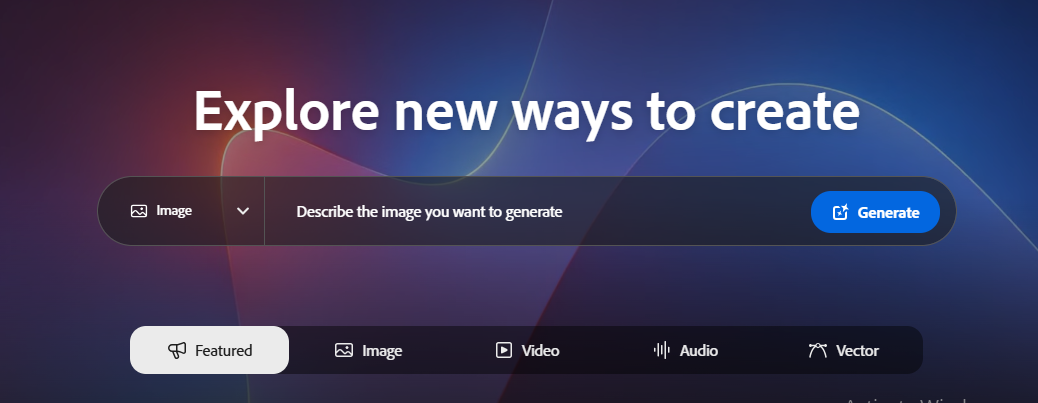
Text-to-Image Generation: Turn words into visuals in seconds, creating unique graphics without manual illustration.
Generative Fill & Object Removal: Instantly remove unwanted elements or fill gaps in images while maintaining realistic results.
AI Text Effects: Add stylized typography that matches your design automatically.
Smart Auto-Layout: Ensures balanced and professional-looking layouts, even for beginners.
During testing, we noticed that Firefly AI consistently speeds up workflow without compromising quality. Tasks that would normally take minutes — like resizing images, aligning elements, or generating a background — are handled almost instantly, making Express a practical tool for both casual creators and professionals.
What are Inside Adobe Express
Inside the Adobe Express Interface
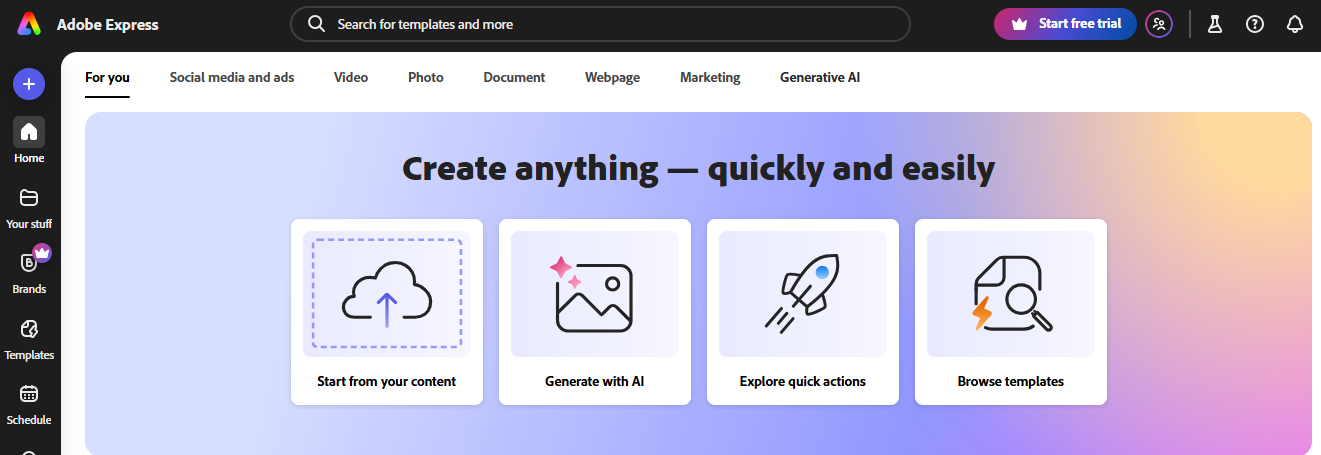
Adobe Express opens with a clean, drag-and-drop dashboard that organizes everything you need: Templates, Quick Actions, and Projects. The layout is simple, intuitive, and designed so you can start creating immediately without hunting through menus.
Quick Actions: Resize images, trim videos, remove backgrounds, or generate designs from text prompts — all with a single click. In practice, this means routine tasks take seconds instead of minutes, keeping your workflow smooth and efficient.
Integration with Adobe Stock & Fonts
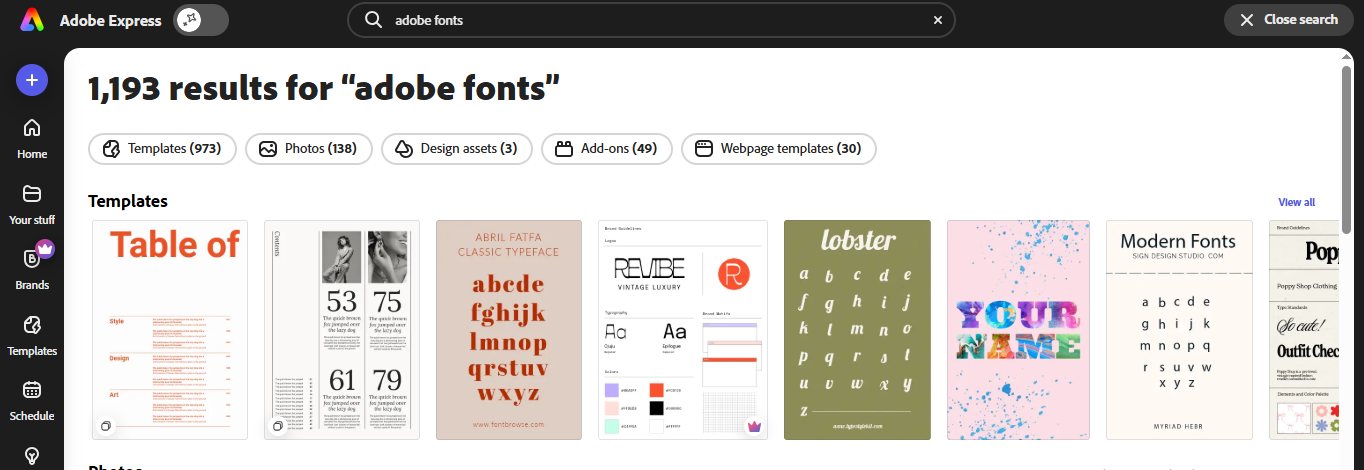
One of Express’s strongest advantages is its seamless integration with Adobe Stock and Adobe Fonts. Users get access to millions of royalty-free images, graphics, and fonts directly inside the platform — no separate downloads or licensing worries.
This makes creating professional designs faster and more reliable, especially for projects that require high-quality visuals without legal complications. Whether you’re designing social media posts or marketing assets, everything is ready to use instantly.
Collaboration & Real-Time Sharing
Express isn’t just for solo creators — it’s built for teamwork. Multiple users can co-edit projects, leave live comments, and share work instantly.
Collaboration Features: Shared brand kits, project links, and feedback tools make group work straightforward. In testing, we saw that these features reduce back-and-forth emails and speed up project completion, making Express a strong choice for marketing teams, educators, and content creators who work together.
Branding & Business Tools
For businesses, Express turns brand consistency into automation. You can save logos, brand colors, and fonts, then auto-apply them to any template.
Branding Features:
Store logos, color palettes, and fonts in one place.
Auto-apply branding to templates.
Ensure every design stays visually consistent.
This saves time and ensures a professional, uniform look across all marketing materials, from social posts to promotional flyers.
File Handling & Smart Export
Adobe Express supports a wide range of formats — JPG, PNG, SVG, MP4, and PDF — making it flexible for any platform.
Smart Export: Suggests the ideal format based on your intended use, whether it’s social media, print, or video. Advanced Options: Export transparent PNGs, HD videos, GIFs, or vector files easily.
This combination of flexible export options and intelligent suggestions ensures your designs always look their best, no matter where they are published.
Usability & Learning Curve
Adobe Express is designed so that even first-time users feel comfortable immediately. The interface is intuitive, uncluttered, and guides you through every step, reducing the typical frustration of learning a new design tool.
Built-In Tutorials: Quick, interactive guides are embedded right in the dashboard, showing you how to create, edit, and finalize projects without leaving the platform. These tutorials are practical, task-focused, and help users gain confidence fast.
AI Assistance: Firefly AI works behind the scenes to suggest the best fonts, colors, and layouts for your project. This intelligent guidance ensures your designs look professional even if you’re unsure where to start, making the learning curve almost invisible.
In short, Adobe Express balances ease of use with creative control, letting beginners achieve polished results while gradually exploring more advanced features.
Community & Learning Support
Adobe Express isn’t just a design tool — it’s part of a growing creative family. You’ll find its community active on Behance, Discord, and Adobe Forums, where creators share templates, ask questions, and celebrate each other’s work. It feels welcoming, no matter your skill level.
You get access to template sharing, live tutorials, early beta features, and weekly design challenges that push your creativity further. It’s like having a support system that inspires you to learn, grow, and design smarter every day.
Pricing & Plans
Adobe Express offers plans designed around what you need to create quickly and professionally.
Free Plan: If you just want to experiment or create simple graphics, this plan gives you thousands of templates, basic editing tools, and limited AI credits. It’s perfect for students, hobbyists, or anyone who needs fast results without spending a dime.
Premium Plan ($9.99/month): With this plan, you unlock the full potential of Firefly AI, brand kits, 100GB of cloud storage, and premium stock assets. If you run a small business, manage social media, or want polished, professional designs every time, this plan is built for you. It takes the guesswork out of design and saves you hours of editing.
Creative Cloud Users: If you’re already an Adobe Creative Cloud subscriber, you automatically get Express Premium features at no extra cost. This makes it easy for you to expand your workflow seamlessly without paying more.
In short, whichever plan you choose, Adobe Express is designed to fit your creative needs, whether you’re starting out, growing a brand, or creating content for multiple platforms.
Security & Cloud Sync
With Adobe Express, you don’t have to worry about your designs being lost or compromised. Your work is protected so you can focus entirely on being creative.
Encryption: Every file you upload and export is encrypted, keeping your projects safe and private, whether you’re designing personal content or professional marketing materials.
Version History: Made a change you’re not happy with? You can restore or duplicate older versions instantly, giving you full control over your creative process and peace of mind that nothing is ever permanently lost.
Stood-Out Features of Adobe Express
Firefly-Powered Creation
When you start designing with Firefly, you’ll instantly feel its magic. Type a prompt, and within seconds, Express turns your words into stunning, commercially safe visuals. It’s not random AI art — it’s clean, relevant, and reliable. Every generation feels like Adobe knows exactly what you meant to create. You’ll find yourself trusting this AI more with every project.
Magic Resize
Creating for multiple platforms has never been easier. With one click, Magic Resize adapts your single design into perfectly sized versions for Instagram, YouTube, or Facebook. No more stretching, cropping, or broken layouts. It saves hours of manual tweaking and keeps your brand visuals consistent everywhere. You’ll love how effortlessly it handles your creative chaos.
Team Collaboration
Working together in Adobe Express feels natural and instant. You and your teammates can co-edit designs, drop comments, or adjust brand kits in real time. It’s smooth like Google Docs, but built for design. The workflow keeps everyone aligned without messy file sharing. You’ll actually enjoy collaborating — which is rare for design tools.
Video & Animation Studio
If you’ve ever wanted to make quick videos without opening heavy software, this will be your favorite part. Express lets you add transitions, motion, captions, and text effects within minutes. The AI auto-syncs captions perfectly with your audio — no manual editing needed. It’s lightweight, fast, and surprisingly fun for short-form content.
Social Media Scheduler
This feature makes Express feel like an all-in-one content studio. You can create a post, add an AI-written caption, and schedule it directly for multiple platforms. It’s incredibly convenient when managing several accounts. Everything stays organized, from drafts to publishing timelines. You’ll feel like you’re running a mini marketing team on your own.
Template Universe
Running out of ideas is nearly impossible here. With 200K+ editable templates, you’ll always find something that fits your project. Each one adapts instantly to your brand colors and fonts. You can start designing from scratch or remix any layout in minutes. It’s creative freedom without the usual pressure of a blank canvas.
Auto Layout Genius
Express’s grid engine quietly keeps everything in place. No matter how you move or resize elements, it maintains perfect symmetry and balance. This smart alignment makes your designs look polished without extra effort. It feels like having a design assistant guiding your hand. You just focus on your idea — Express handles the perfection.
Background Removal
One click, and that messy background disappears like magic. It works flawlessly on portraits, products, and even complex textures. You don’t need Photoshop-level skills to get professional results. The clean cutouts look sharp and ready for posting or marketing. It’s one of those features that instantly makes you feel like a pro.
Brand Kit Sync
Managing your brand has never been this effortless. Update your logo or colors once, and Adobe Express automatically applies them across every saved design. It’s a lifesaver for businesses and creators who value consistency. You’ll never have to re-edit every file again. One small update — and your whole visual identity stays unified.
Limitations of Adobe Express (Fileion’s Honest Take)
Limited Offline Access
Adobe Express is cloud-driven, so most features require an internet connection. You can make light edits offline, but advanced AI tools won’t load until you reconnect. For creators who travel or work remotely, that can be inconvenient. Still, the syncing once you’re back online is smooth and automatic. It’s reliable, just not truly offline yet.
AI Credit Limits
The Firefly AI features are addictive — and that’s where free users hit a wall. You get a limited number of AI credits each month, which can run out quickly if you create often. Once it’s gone, you’ll have to wait for renewal or upgrade to Premium. For regular designers, the paid plan becomes more of a necessity than an option.
Busy Dashboard
At first glance, the dashboard can feel overwhelming with all the options and templates. But after a few sessions, you’ll start recognizing where everything lives. It’s packed with features, not clutter — just dense at first. The guided hints help ease the learning curve. Once you adjust, it becomes second nature to navigate.
Browser Performance
Adobe Express runs best on Chrome, where everything feels smooth and fast. On Safari or Edge, AI rendering may take a few extra seconds. It’s not a dealbreaker, but you’ll notice the difference if you switch browsers. The good thing is Express autosaves, so nothing gets lost during these minor hiccups. It’s stable, just not equally optimized everywhere.
Preset Animations
Animations here are fun but basic — perfect for social content, not cinematic editing. You get clean transitions and text effects, but no advanced timeline or layering like in After Effects. For casual users, it’s more than enough to make content pop. But professionals might wish for deeper animation control. It’s simplicity over complexity by design.
Export Restrictions
You can export designs for free, but transparent PNGs, HD videos, or vector files are locked behind the Premium plan. The free quality is still solid, though — ideal for daily use. If you’re producing client-grade visuals, the upgrade is worth it. Adobe clearly designed the free plan for creators, not agencies.
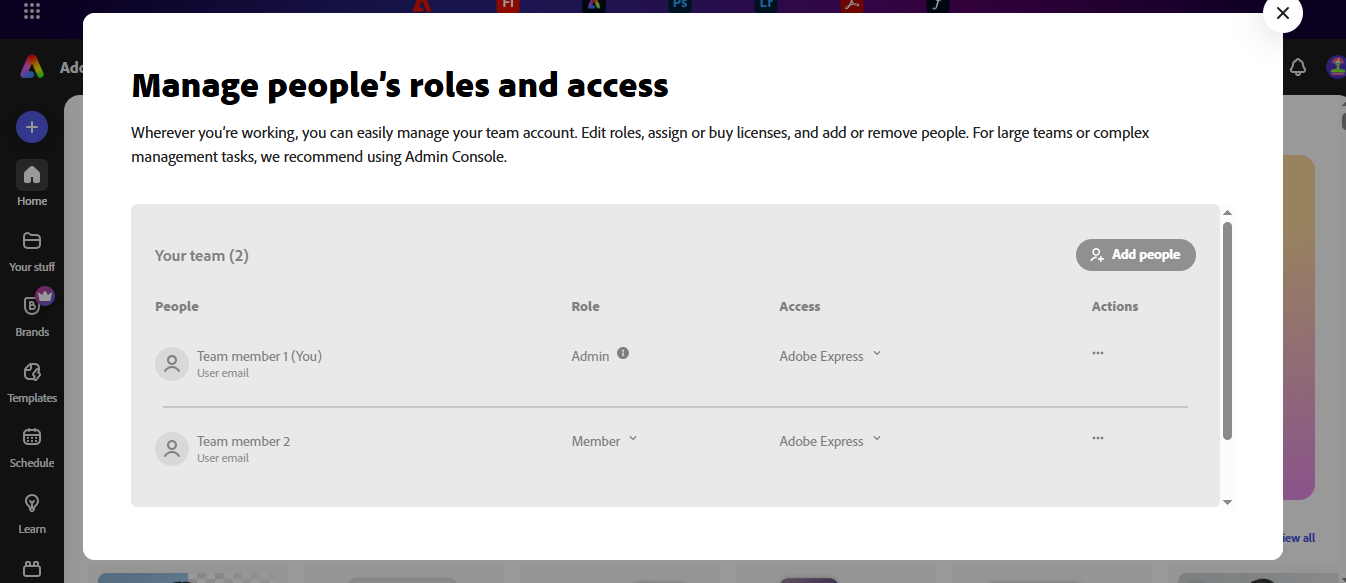
Team Role Management
Collaborating is smooth, but assigning advanced roles or permissions isn’t available yet. It works perfectly for small teams or classrooms, though. You can share links, comment, and co-edit freely. For bigger organizations, this missing feature might feel limiting. Adobe is already refining it based on user feedback.
Heavy Project Load
When you load large templates or long video projects, older or low-end PCs might slow down a bit. The browser occasionally needs a quick refresh to stabilize performance. On modern systems, though, it’s impressively fast. If you’re editing big campaigns, you may want to close extra tabs or apps. It’s manageable, just not lightweight.
Limited Integrations
You can share directly to most social platforms, but TikTok and LinkedIn support are still rolling out. That means you’ll have to export and post manually for now. It’s a small hiccup for an otherwise smooth workflow. Adobe’s roadmap suggests these integrations are coming soon. Until then, creators can work around it easily.
Platform Experience — How Adobe Express Actually Works Across Devices
Adobe Express isn’t a traditional “installable” desktop program — there’s no dedicated Windows .exe or macOS .dmg app. Instead, Adobe made it a fully powered web platform, accessible from any modern browser. And honestly, that’s its strength.
On web, it feels fast, modern, and incredibly flexible — you open the tab, log in, and your entire creative workspace loads instantly. Whether you’re on Windows, macOS, ChromeOS, or even Linux, the experience stays consistent. You get full Firefly AI features, huge design canvases, quick exporting, and smooth performance without ever installing anything.
Mobile users get a slightly different flavor. On iOS and Android, Adobe Express becomes a compact, ready-anytime creative assistant. The mobile apps are perfect for quick edits — like removing a background, resizing content for Instagram, or turning a photo into a polished thumbnail in minutes. It’s designed for creators who need speed: shoot, edit, upload, done. While mobile doesn't have every advanced tool from the web version, it gives you exactly what you need when you’re away from a laptop.
Chromebook users get the best of both worlds. The web version works beautifully with large screens, keyboard shortcuts, and cloud sync. And if you prefer a mobile-style workflow, the Android app runs directly on ChromeOS. No matter which path you choose, Adobe Express feels easy, fluid, and dependable — because it’s built around cloud access, instant syncing, and zero-install convenience. Perfect for students, creators, marketers, and anyone who simply wants to design without the heavy setup.
Comparison with Competitors
When choosing a design tool, it’s important to see how Adobe Express stacks up for your needs:
Canva: If you’re creating lots of social posts quickly, Canva is convenient, but it doesn’t give you the advanced AI guidance and detailed design controls that Adobe Express offers.
Fotor: Perfect for fast edits, but if you want branding tools, team collaboration, or professional polish, you might find it limited.
VistaCreate: Offers a huge template library, but you won’t get Adobe’s precision or AI-powered workflow support.
Verdict: If you want a tool that makes your designs look professional while keeping the process fast, simple, and secure, Adobe Express is built for you. It’s where ease of use meets professional polish.
What The Creators Say ABOUT Adobe Express
Reddit’s r/graphic_design community sees Adobe Express as a “Canva-style tool with smarter AI.” Many users praised its speed and simplicity, saying it’s great for quick posts, animations, and background removals. They appreciated how easy it feels to create polished results without deep design skills.
On the flip side, professional designers mentioned limited control over typography and layouts, calling it too basic for brand-level work. Some also noted minor issues with team plans and billing.
Overall, users agree that Adobe Express shines for fast, everyday design tasks, but those needing full creative precision might still prefer traditional Adobe tools like Photoshop or Illustrator.
Why Fileion Recommends It
At Bottom, we recommend Adobe Express. it perfectly blends Adobe’s creative expertise with modern simplicity. It’s a tool that makes professional-quality design possible for everyone — whether you’re a student, small business owner, or casual creator.
You don’t need years of experience to make something stunning; Express does the heavy lifting while you focus on your ideas. It’s design made easy, powerful, and genuinely enjoyable — anywhere you create.
Hi, I’m Ishrat, Junior Content Writer at Fileion. With a strong passion for tech and a background i...
1
Followers
0
Following
Software Content Writer
Hi, I’m Ishrat, Junior Content Writer at Fileion. With a strong passion for tech and a background in SEO, digital content, and web solutions, I craft stories that connect users to the tools they need. At Fileion, I turn complex topics into clear, helpful content, making tech feel simple and accessible for everyone. Let’s write something impactful!
FAQs
Frequently Asked Questions
For the Embed SDK, this can indicate a setup issue. Check your API configuration, ensure proper domain mapping, and refer to Adobe’s troubleshooting guide.
Yes — for the Embed SDK, Adobe supports Chrome (v100+), Edge (v107+), Safari (v17+), and Firefox (v117+).
When switching to a team account, some files may move to team storage or become inaccessible from the personal view.